 Extra finance
Extra finance lending deposits need a matching position record
Extra finance supports a first lending deposit through its Lend interface when the selected pool accepts deposits. Connect the intended wallet and complete the readiness checklist below before entering an amount and confirming the deposit transaction. After successful processing, inspect Your Positions and reconcile the position with the asset and amount that you supplied.
Updated:
Pool availability comes before the transaction. An older deposit screen does not establish that a pool remains open. The first session should finish with a reconciled lending position, or stop before submission when the account, asset, or pool conditions do not match.
The wallet, deposit asset, and lending pool
A lending deposit requires the intended account, an accepted asset on the selected network, and enough native currency for transaction fees. The account shown in the application should match the account that will authorize the deposit. A balance elsewhere in the wallet does not establish that the selected account can spend it on this network.
Use the lending interface for this task. A farming vault involves a different operation, including a configuration for supplying capital and borrowing. A first lending deposit does not require choosing a farming pair or leverage. The documented lending flow ends with position information under Your Positions.
Pool availability before any approval
The selected pool must offer an available deposit action before the walkthrough applies. A missing pool, disabled action, or applicable closure notice changes the next step: stop before authorizing a transfer. Do not treat an old screenshot or a previously available pool as permission to proceed.
The application has displayed a notice about pool delisting and position closure on Base. That notice alone does not establish which lending deposits remain available, and an empty pool list can also reflect an incomplete application load. Resolve the selected pool’s status before committing funds.
A first deposit with a recorded starting balance
For a first lending deposit, assume that the selected pool accepts the asset already held by the connected account. Record the account, network, asset, spendable balance, and intended deposit amount. Keep the amount in token units so that a changing currency valuation does not obscure the comparison.
Before submitting the deposit, apply this short checklist:
- Proceed only when the selected pool accepts new deposits of the intended asset and you can accept withdrawal delays if liquidity becomes insufficient.
- Confirm that the application and wallet show the same account and network.
- Keep enough native currency available for the transaction fee shown by the wallet.
- If an approval appears, check its token, spending contract, and allowance before authorizing it.
- Submit only when the deposit amount matches the starting record.
Select the pool’s Deposit action, enter the recorded amount, and review the wallet request. After confirming it, retain the transaction identifier. A successful deposit should correspond to lending position information for the same account and asset. Compare that information with the starting record before making another deposit.
If the wallet reports success but the position remains absent, pause further deposits. Inspect whether the successful transaction was an approval or the deposit itself. An approval leaves the deposit unfinished; a successful deposit requires reconciliation with the position display. Do not send another deposit merely to make the missing record appear.
Token approval and the deposit have different effects
A token approval gives a specified contract permission to spend tokens up to an allowance. It does not, by itself, supply those tokens to a lending pool. When the wallet presents separate approval and deposit requests, each successful request therefore proves a different action.
Read the permission before accepting it. The spending contract and allowance should fit the intended deposit operation. An existing allowance may affect whether another approval appears, so the number of wallet prompts is not a reliable completion test. Identify what each request does instead of expecting a fixed sequence of confirmations.
Successful execution and the position display
A transaction identifier establishes that there is a transaction to track; it does not establish successful execution. Pending transactions have not yet produced a completed deposit. For an included transaction, the receipt distinguishes success from failure and identifies the account and contract involved.
Position verification adds the application context. Match the lending asset and account, then compare the underlying deposited amount with the transaction. A success message for an unrelated action cannot resolve a missing lending position. Likewise, a position visible under another account does not confirm the intended account’s deposit.
eTokens and the underlying deposited amount
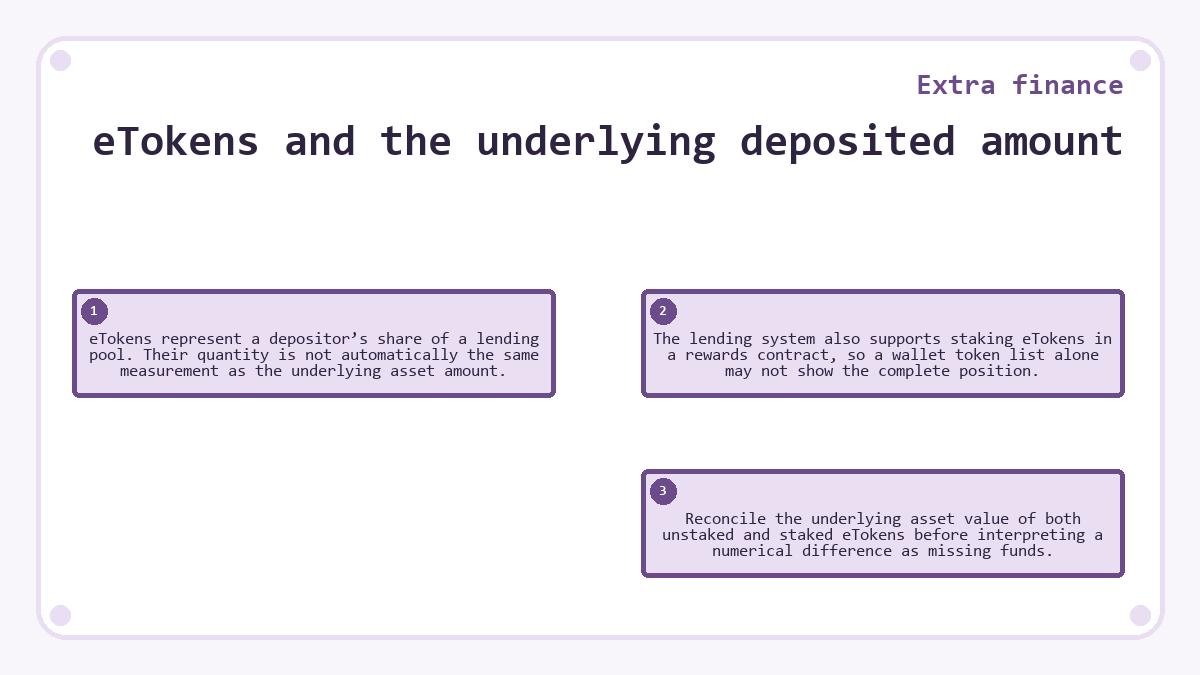
eTokens represent a depositor’s share of a lending pool. Their quantity is not automatically the same measurement as the underlying asset amount. The lending system also supports staking eTokens in a rewards contract, so a wallet token list alone may not show the complete position. Reconcile the underlying asset value of both unstaked and staked eTokens before interpreting a numerical difference as missing funds.
A missing position after a successful transaction
A missing position warrants checking the transaction and account context before authorizing another operation. Start with the transaction that the wallet actually completed.
An approval transaction explains why the token balance may remain unchanged and no lending position appears. Return to the deposit action only after confirming that approval was the completed operation. Avoid treating every successful wallet notification as a completed contribution to the pool.
For a successful deposit transaction, compare its sending account and network with the application session. Then refresh the position information. An account mismatch or stale display can explain an apparent discrepancy, but neither explanation should become an assumption when the records still disagree.
If the discrepancy persists, retain the transaction identifier and the starting record without submitting more funds. Check which position the successful deposit credited. Repeating the transaction would introduce another balance change without answering that question.
Network fees in the balance comparison
A wallet balance comparison must separate the deposit amount from the network fee that transaction execution consumes. The wallet’s fee estimate concerns processing the transaction, while the deposit amount concerns the asset supplied to the pool. These values may use different assets or appear as separate balance changes.
Record the actual fee after execution when reconciling the session. Do not infer a deposit shortfall solely from the wallet’s total currency value, which can also change with market prices. A token quantity, transaction fee, and displayed valuation answer different questions.
Interest displays after the first deposit
The lending rate responds to pool utilization through the pool’s interest rate model. A rate visible during deposit preparation does not fix the return for the entire holding period. It also does not establish that an immediate increase should appear at the precision used by the position display.
Use the initial position record to establish what the deposit credited. Assess subsequent interest separately from that first reconciliation. Borrowing demand, elapsed time, and display precision affect what a later balance comparison can show. A displayed yield percentage should not replace checking that the initial principal reached the intended lending position.
Stopping before submission and withdrawing afterward
Declining an unsubmitted deposit request leaves that deposit unexecuted. If an earlier approval succeeded, however, declining the deposit does not reverse the permission already granted. The stop point therefore depends on which actions the wallet has completed.
After a successful deposit, withdrawal is a separate transaction rather than an undo button. The lending design has no default lockup, but high utilization can delay withdrawals until borrowed assets return. A successful deposit does not prove that the full balance will be immediately withdrawable.
Keeping an asset in the wallet leaves it outside the lending pool. Depositing it creates a pool claim with interest exposure and liquidity conditions. If the first-session requirement includes immediate access to the entire amount, that withdrawal constraint matters before submission.
Details worth knowing about Extra finance
Can I close the browser after submitting my lending deposit?
Closing the browser does not cancel a transaction that the wallet has already broadcast. Retain the transaction identifier so that you can inspect its status afterward. Reopening the application may require reconnecting the same account, but it does not require submitting the deposit again.
Will manually adding an eToken to my wallet complete an unfinished deposit?
Adding a token to the wallet display does not execute a lending deposit. It only changes what the wallet displays. The deposit still needs a successful transaction and a corresponding lending position. An eToken display can help inspect an existing balance, but it cannot create the missing pool claim.
Is a direct token transfer to the pool contract equivalent to pressing Deposit?
A direct token transfer is not a substitute for the lending deposit operation. The pool must execute its deposit accounting to credit the appropriate claim. Use the supported deposit flow rather than sending tokens to a contract address through the wallet’s ordinary transfer screen.
Does a successful first deposit confirm that a second deposit will succeed?
A successful deposit confirms that particular transaction, not future pool availability or wallet readiness. Another deposit requires sufficient funds, transaction fees, and an available deposit action at that time. Recheck those conditions before approving a new request, especially if the account, network, or selected pool has changed.